Product Design & DevelopmentDesign & Dev Pitch
Hearthside
A design and dev pitch for a home health agency: a calm, phone-first website for families and referral partners, and the intake system behind it, where every referral is routed, tracked, and followed up from the first call to the first visit.
- Project
- A website and intake system for a skilled home health agency, designed and built end to end as a design and dev pitch to agency owners
- Role
- Product Designer & Front-End Developer
- Platform & Tools
- Web — Desktop, Tablet, Mobile · Next.js, React, CSS
- Try It Live
- cyrilflorita.com/pitch/hearthside
Overview
Home health agencies win or lose patients in the hours after a hospital discharge, and that's where their tools let them down:
- Families can't tell what fits: home health, home care, and hospice blur together, and coverage rules read like fine print.
- Referrals arrive by fax and voicemail: discharge planners send them and hear nothing back.
- Intake runs on inboxes: nobody can see who owns a referral, what's missing, or what's overdue.
Hearthside Home Health is my pitch for an agency serving the San Fernando and Santa Clarita Valleys: a public website and the intake system behind it, working together. As product designer and front-end developer, I took it from brand to working product, solo, with three goals:
- make a stressful decision calm, with plain answers and one obvious next step
- give referral partners a fast, trustworthy way to send a patient and follow it
- show an owner every referral, from first call to first visit, on one screen
What's Built
- Public website for families: services, how care begins, the clinicians who visit, coverage guidance, and FAQ
- “Which kind of care fits?” a short guide that explains and routes, but never decides eligibility
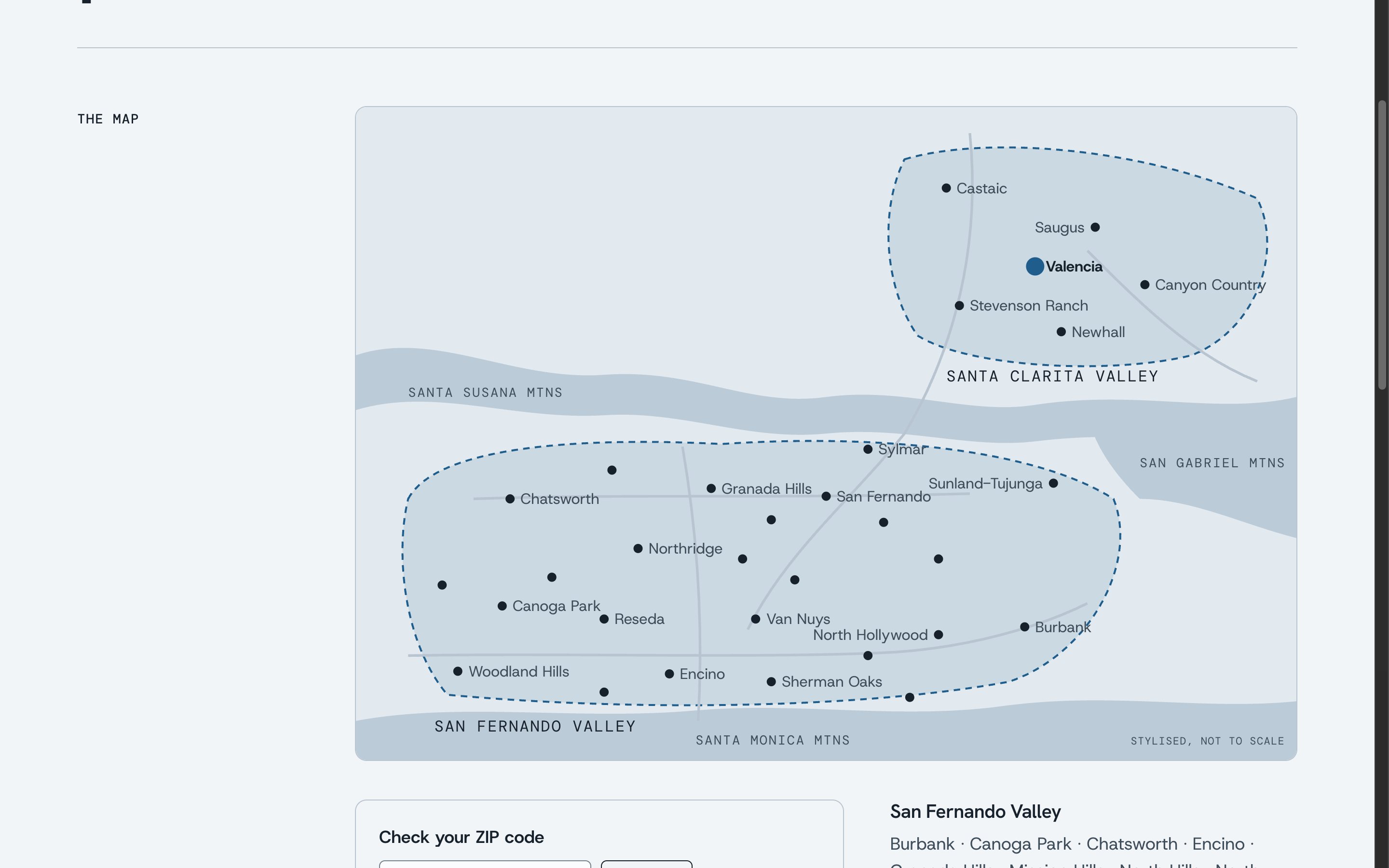
- Service area map with a ZIP check that lights up the towns served
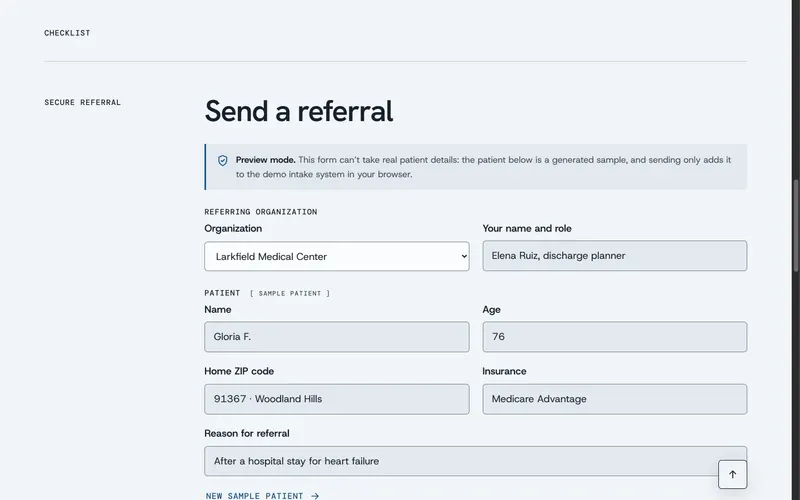
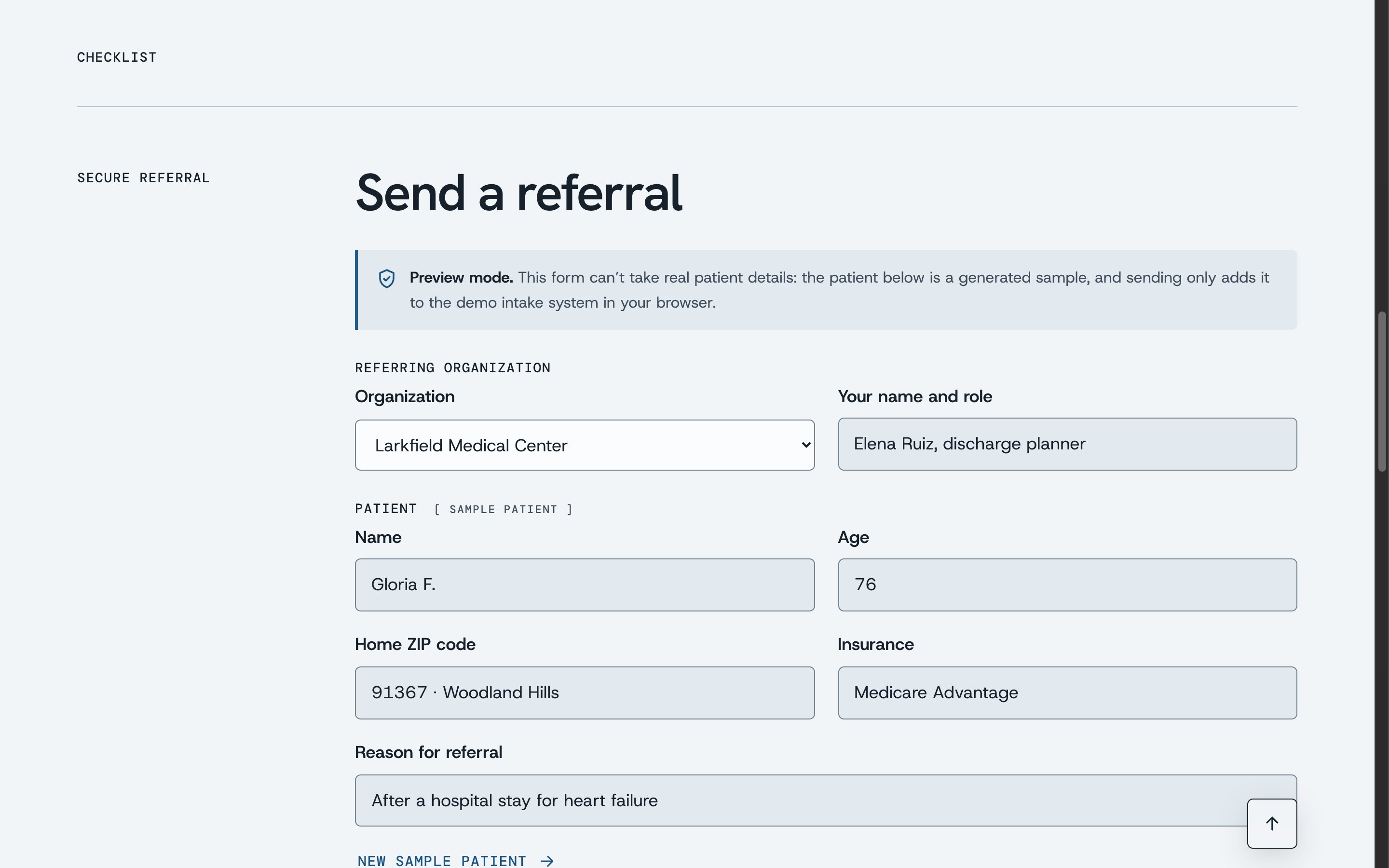
- Referral partner page with a document checklist and a secure referral form, in preview mode
- Referral status page a partner can share, with progress and no health details
- Careers and contact pages with short, minimal forms
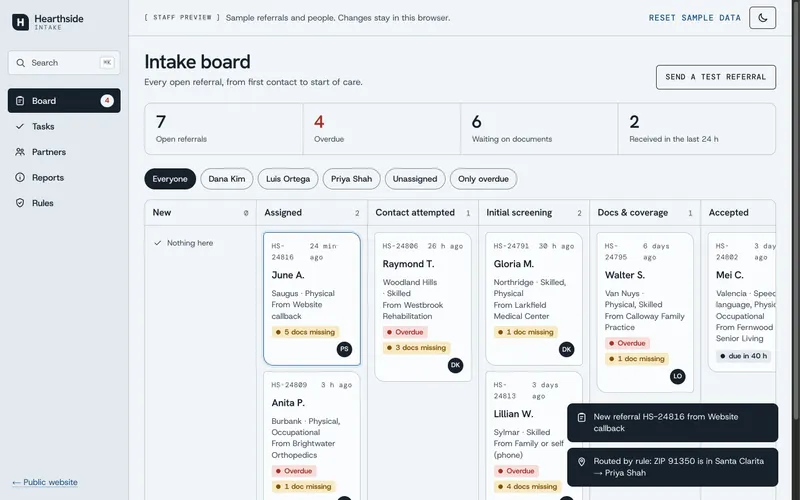
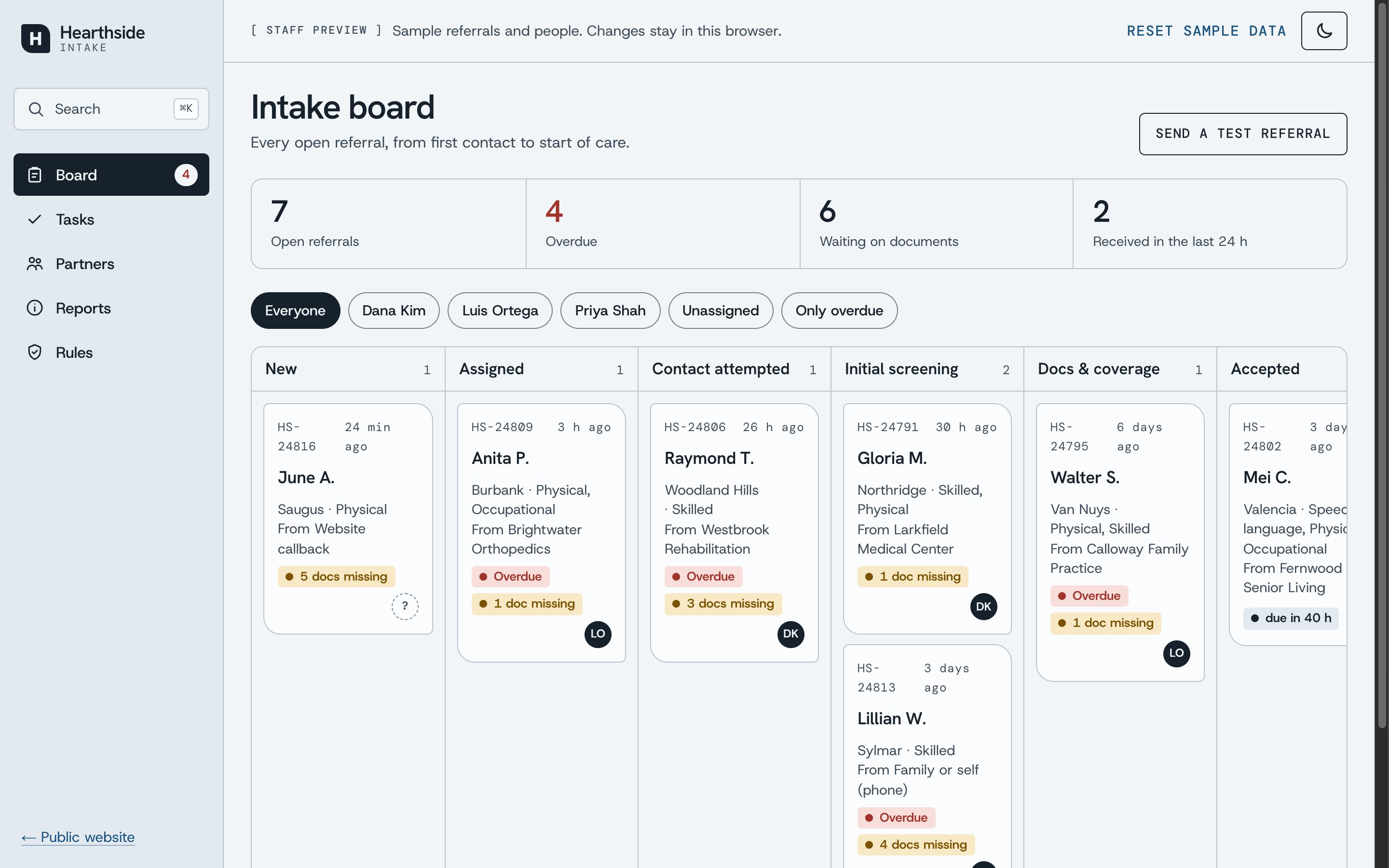
- Intake board: every open referral by stage, with routing by ZIP, owners, and overdue flags
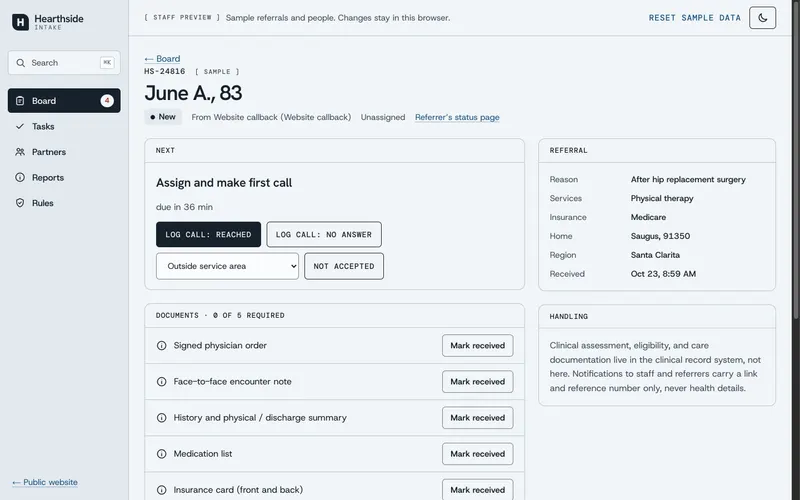
- Referral record: the next action, documents, details, and an activity log
- Tasks, partners, reports, and rules screens, with ⌘K search across all of it
- Design system with two color schemes, each in light and dark
It makes no clinical or coverage decisions and stores nothing outside your browser; the copy is written as if the agency opened tomorrow.
See it for yourself
Send a sample referral, then watch it arrive on the intake board and get routed to a coordinator. Nothing is sent and nothing leaves your browser.
Loading video...
Results & Impact
Hearthside is a pitch, not a live agency, so there are no patient or referral numbers, and I won't invent any. What it delivers is a complete, working product, measured against the accessibility bar a care provider should meet:
- 0
- Accessibility violations (axe)
- 7.9:1
- Lowest body text contrast
- AAA
- Text in every scheme and mode
An automated axe audit (WCAG A and AA, plus best practices) of all 14 public and intake pages, in light and dark mode, finds no violations. Body text passes AAA everywhere: at least 7.9:1 in both color schemes and both modes, with links and labels above 7:1 too. Buttons are 52px tall, every control works by keyboard, and every animation stops under reduced motion. At launch, the numbers to watch are time from referral to first call, referrals stalled by missing documents, and calls requested from the website.
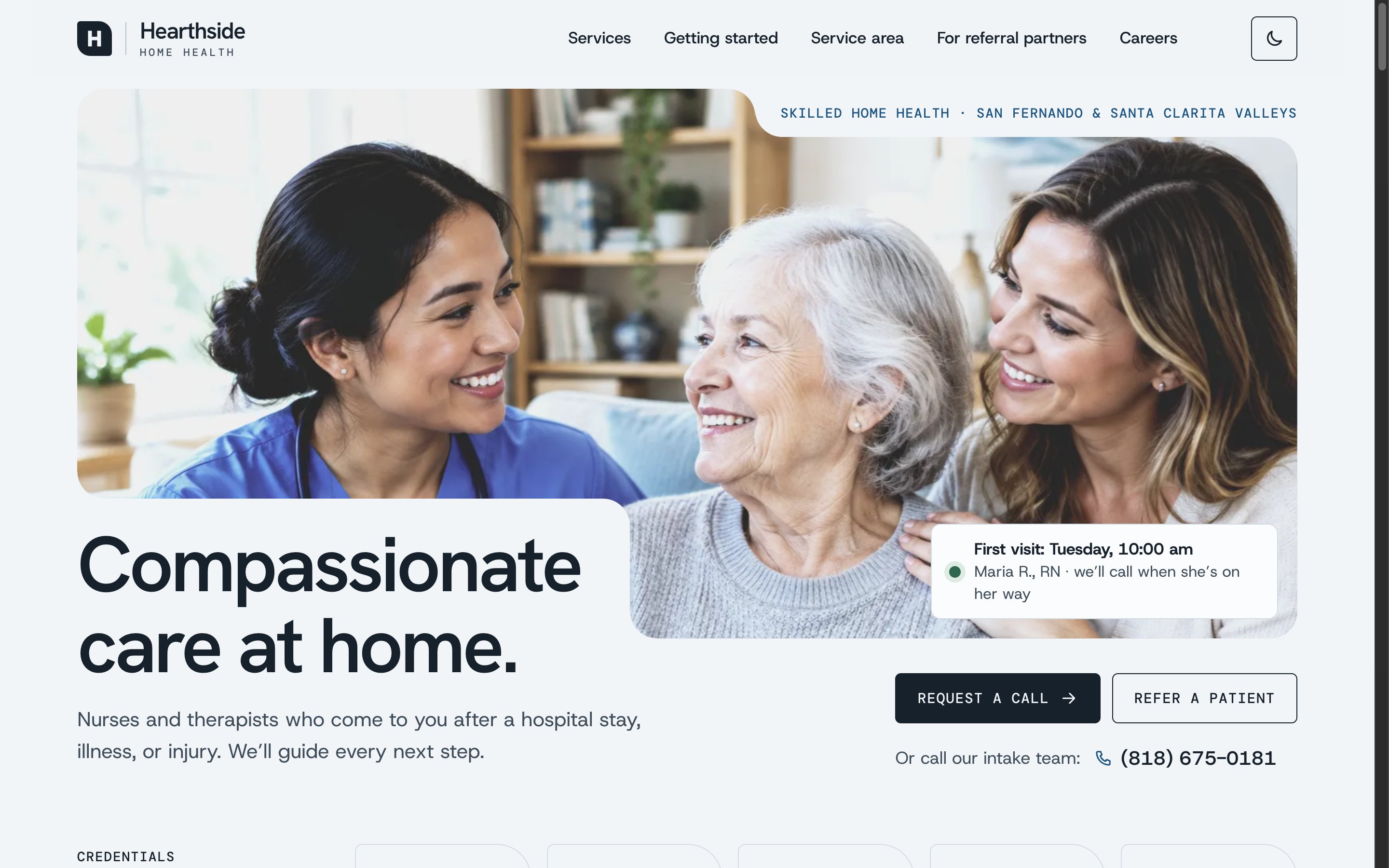
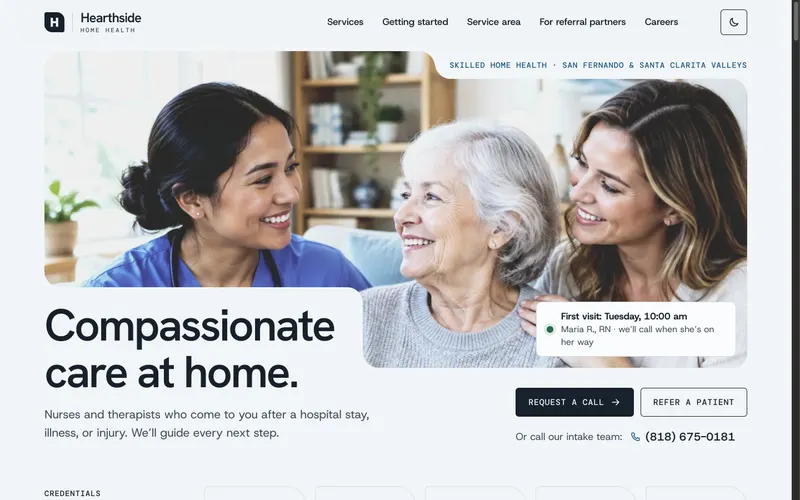
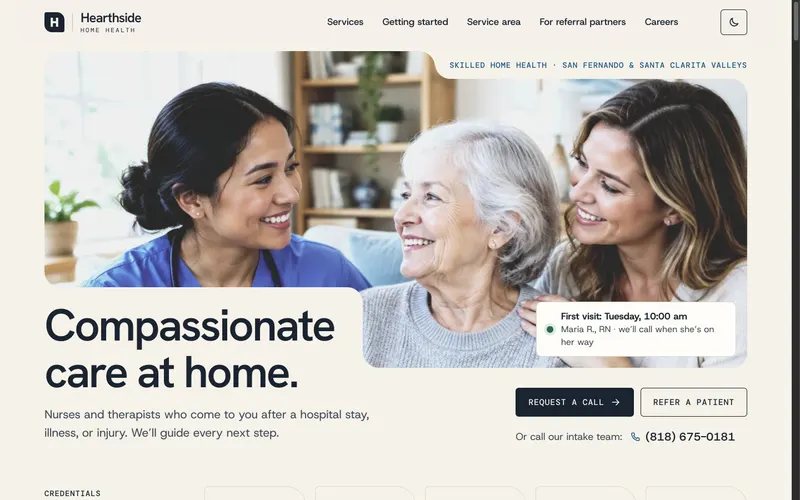
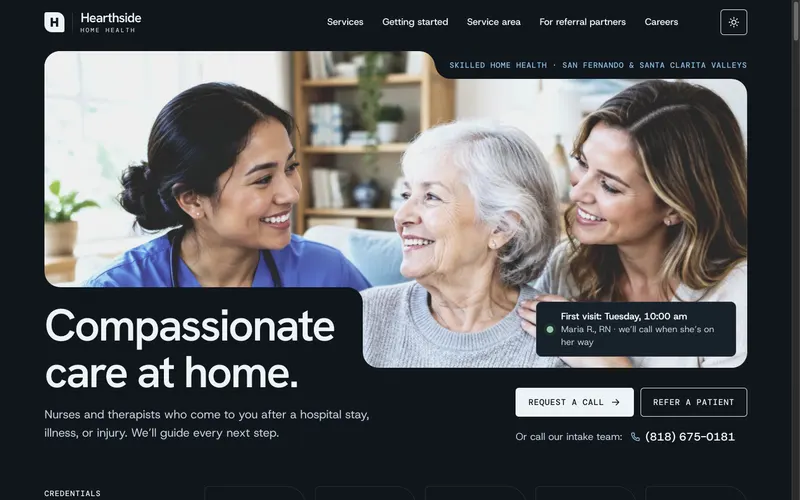
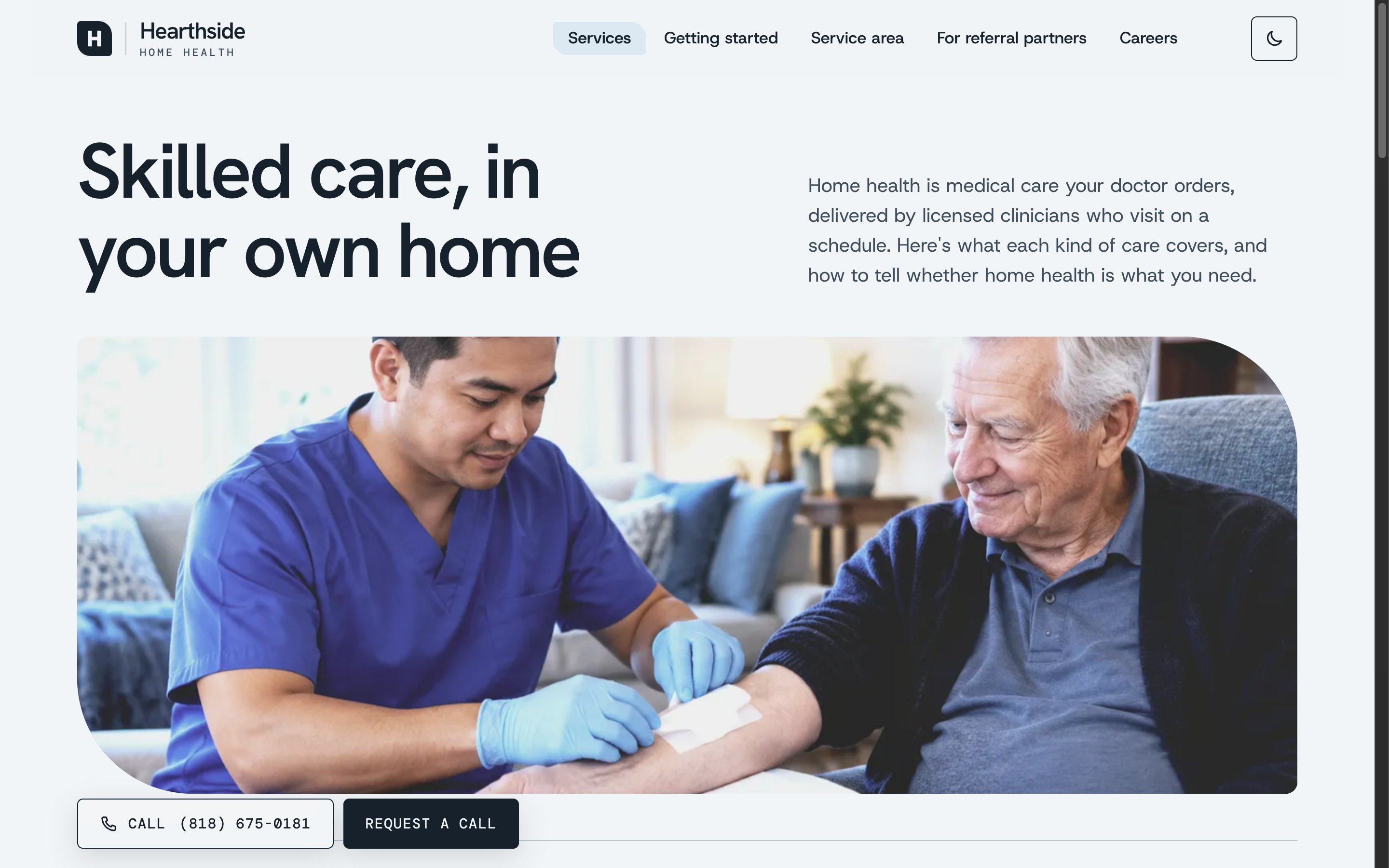
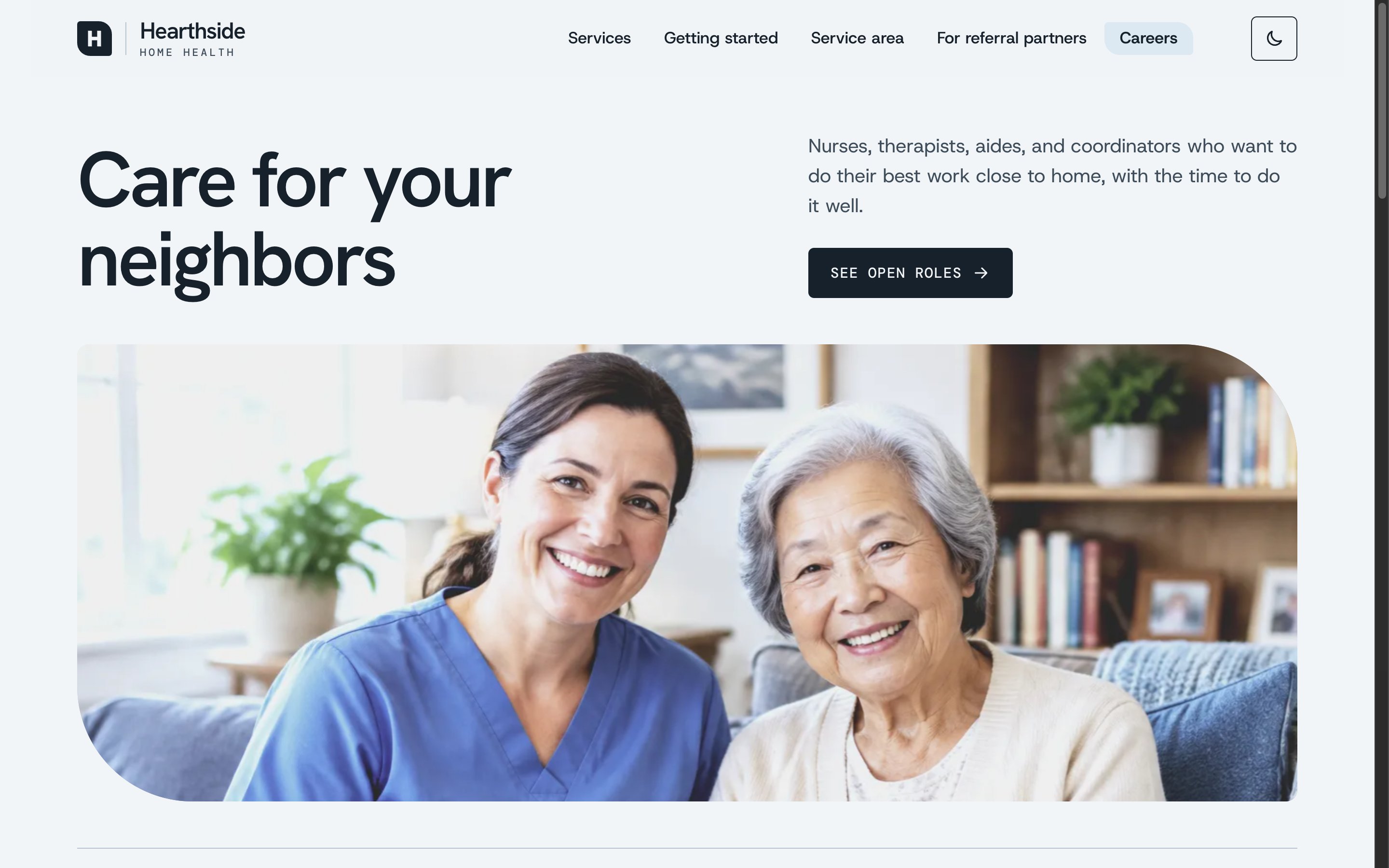
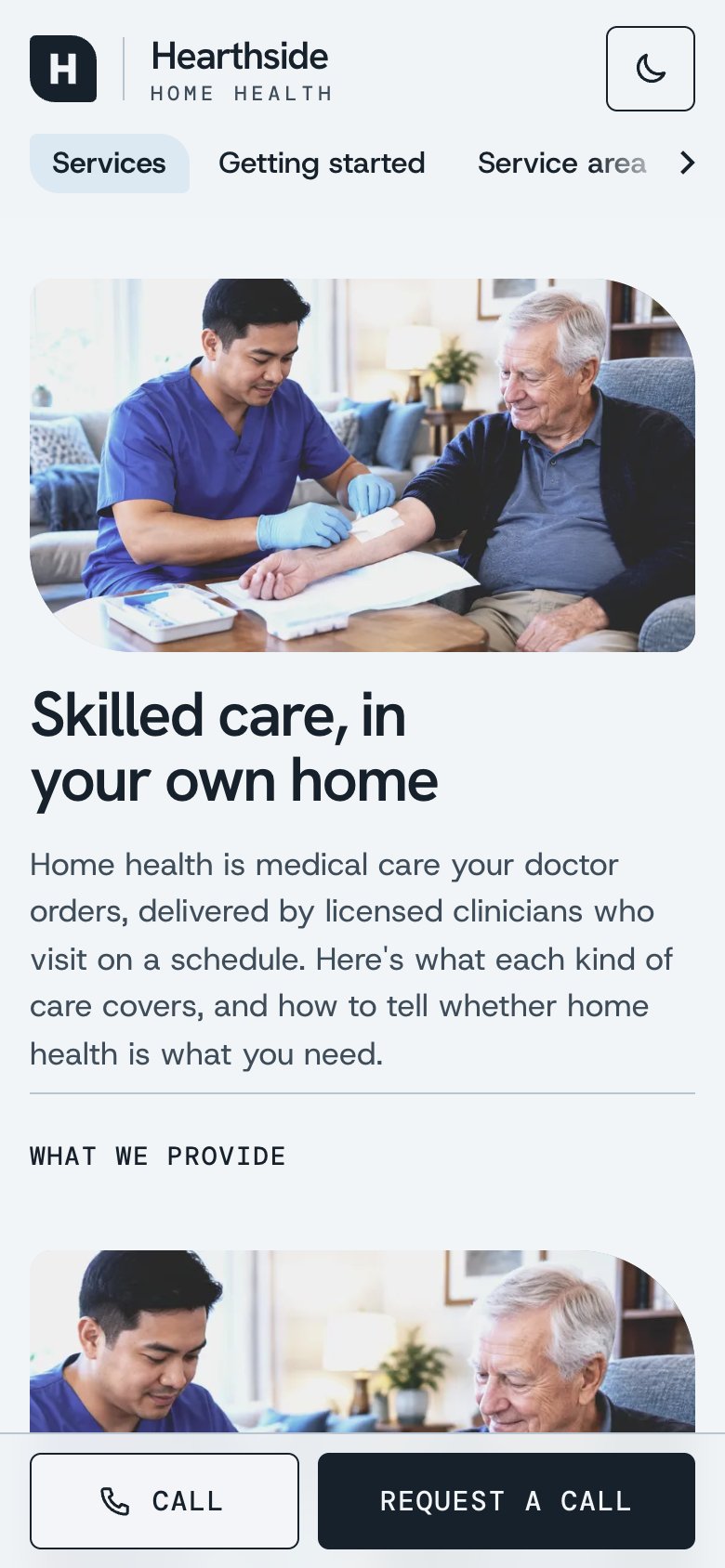
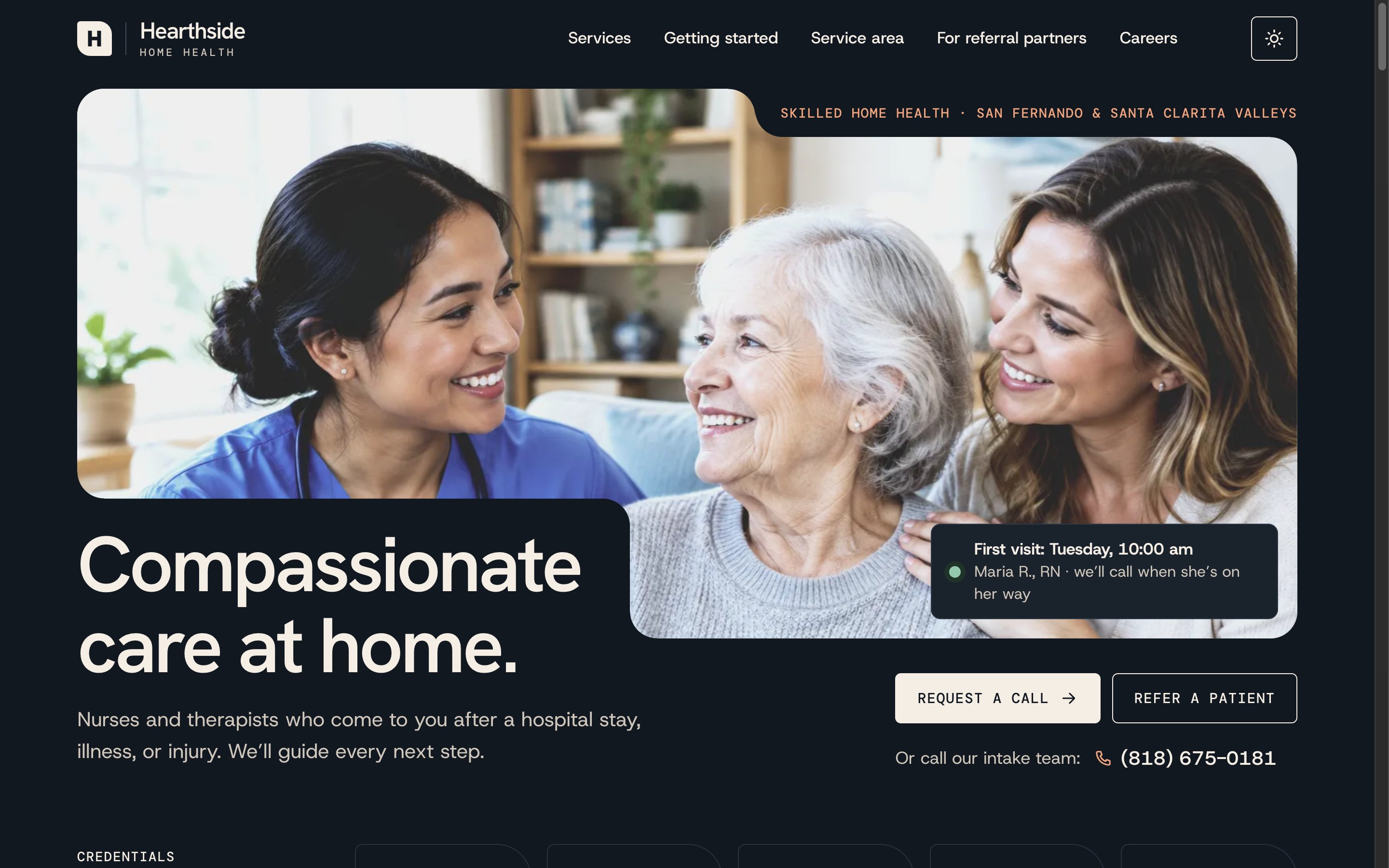
A calm first screen. One warm photo, one headline, and two clear actions: request a call, or refer a patient. Below it, credentials and the agency's promise come before anything else.
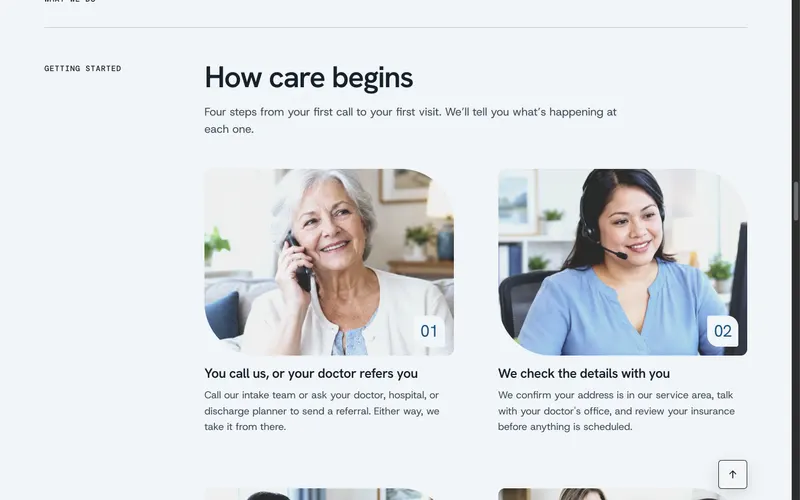
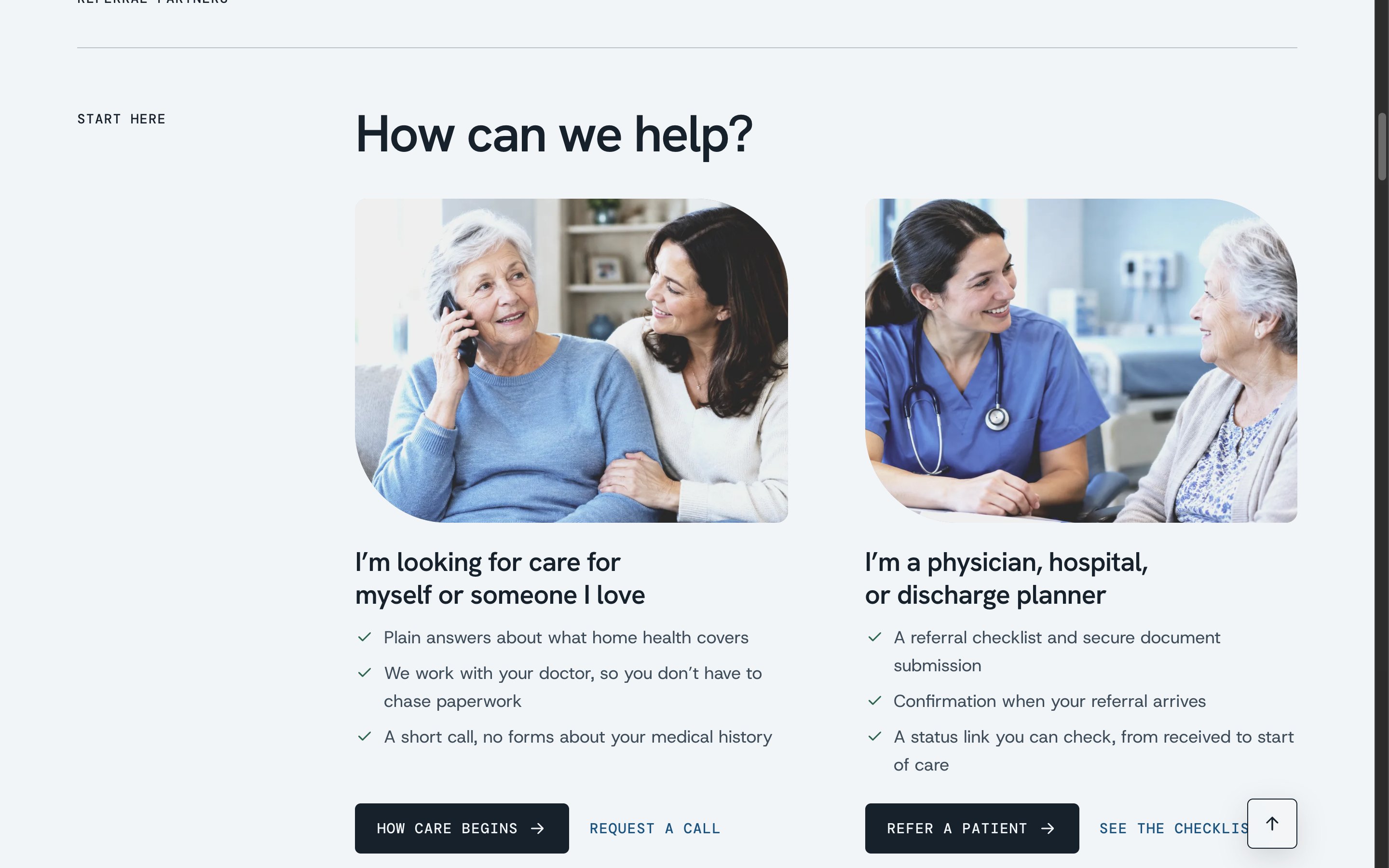
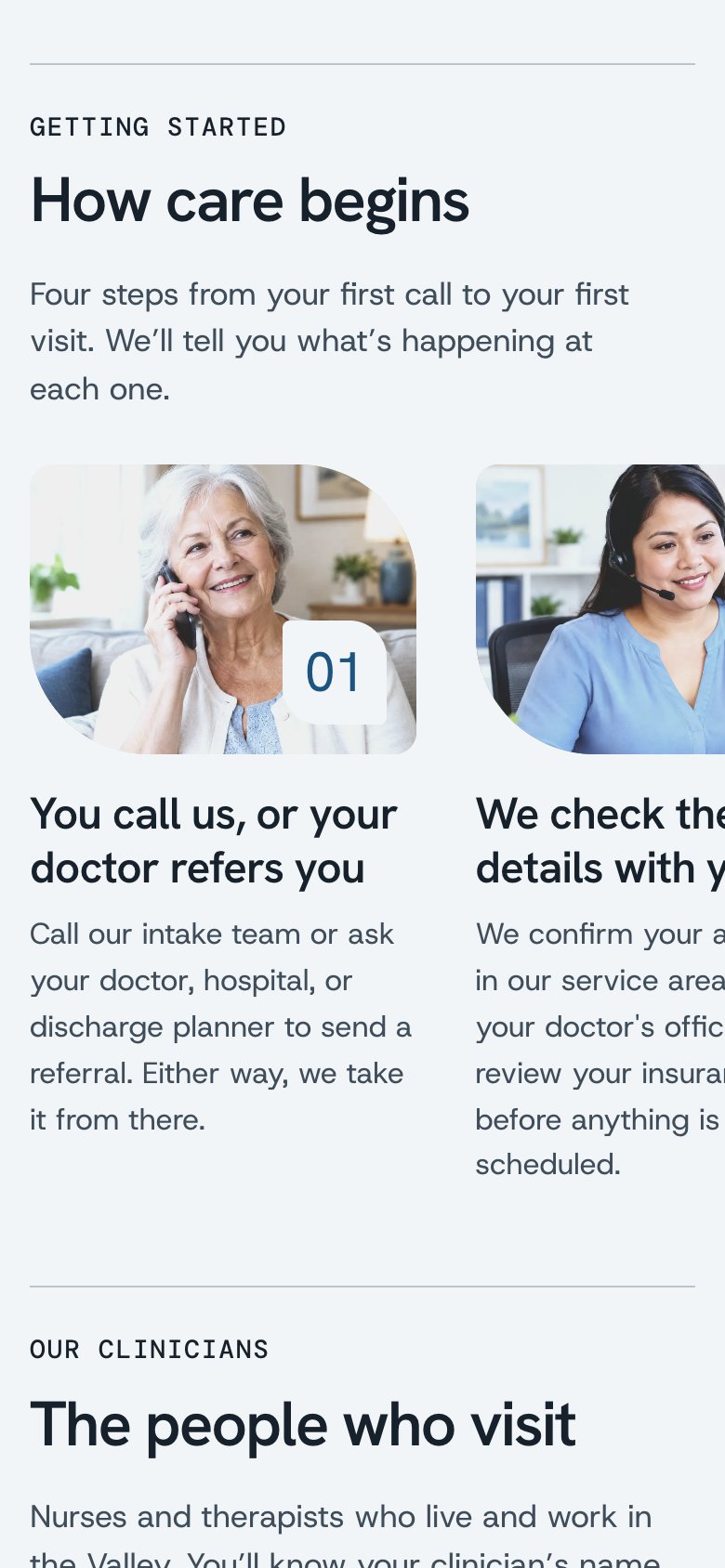
Two audiences, two paths. “How can we help?” splits families from professionals right away, and each path says what happens next.
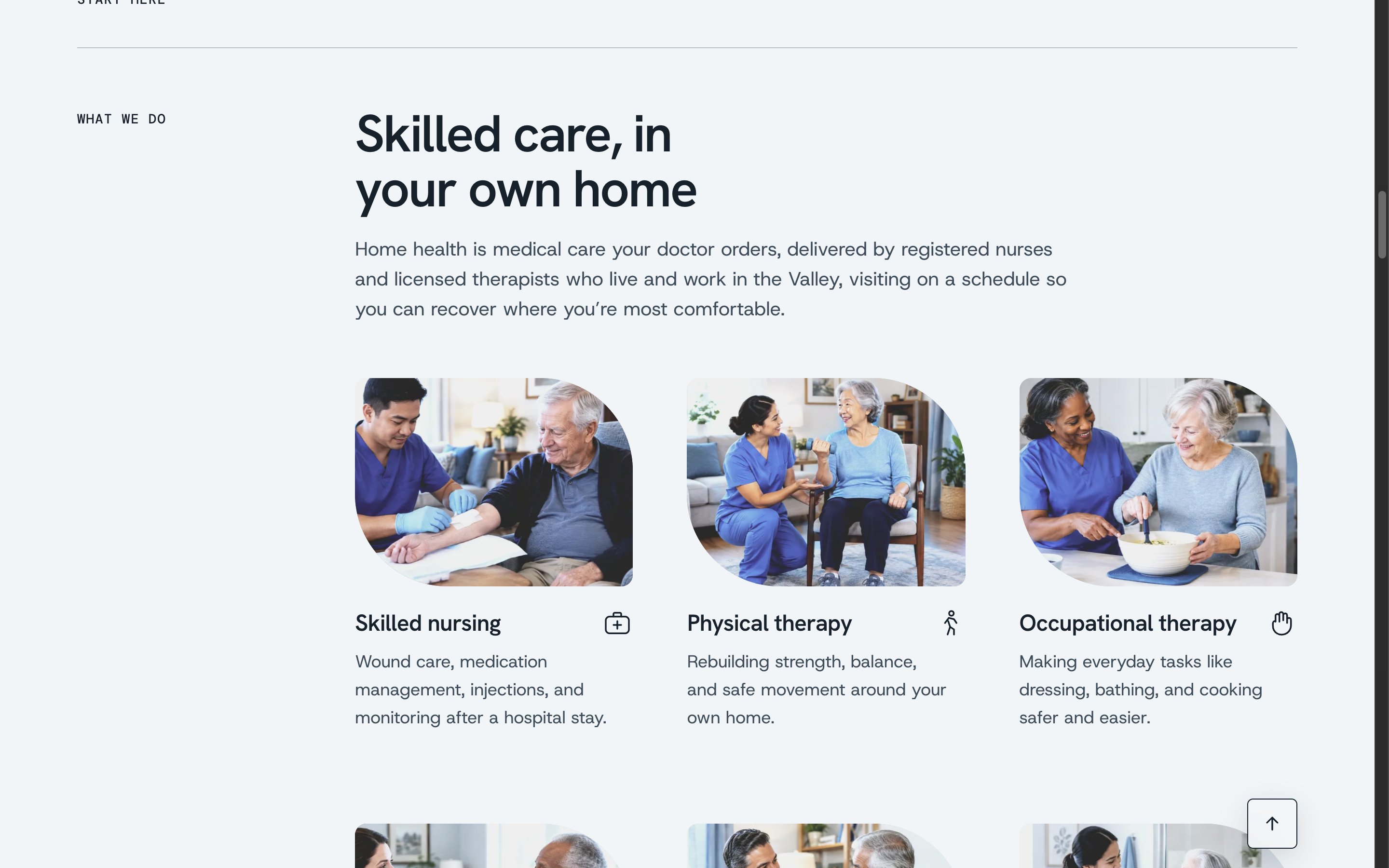
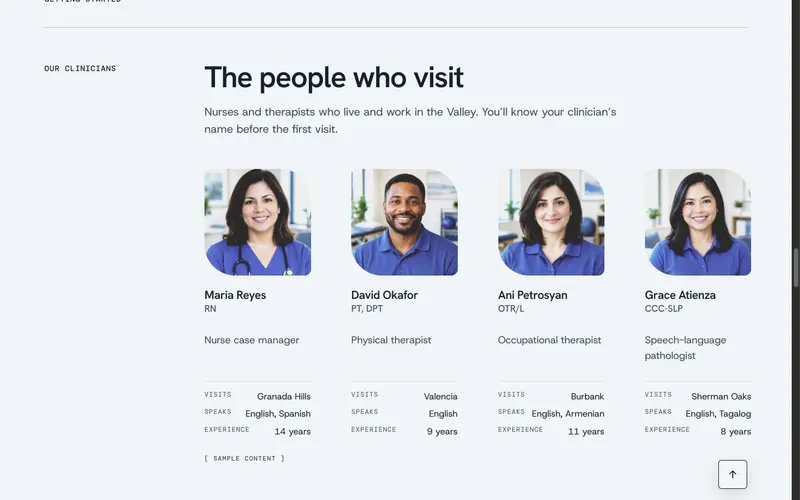
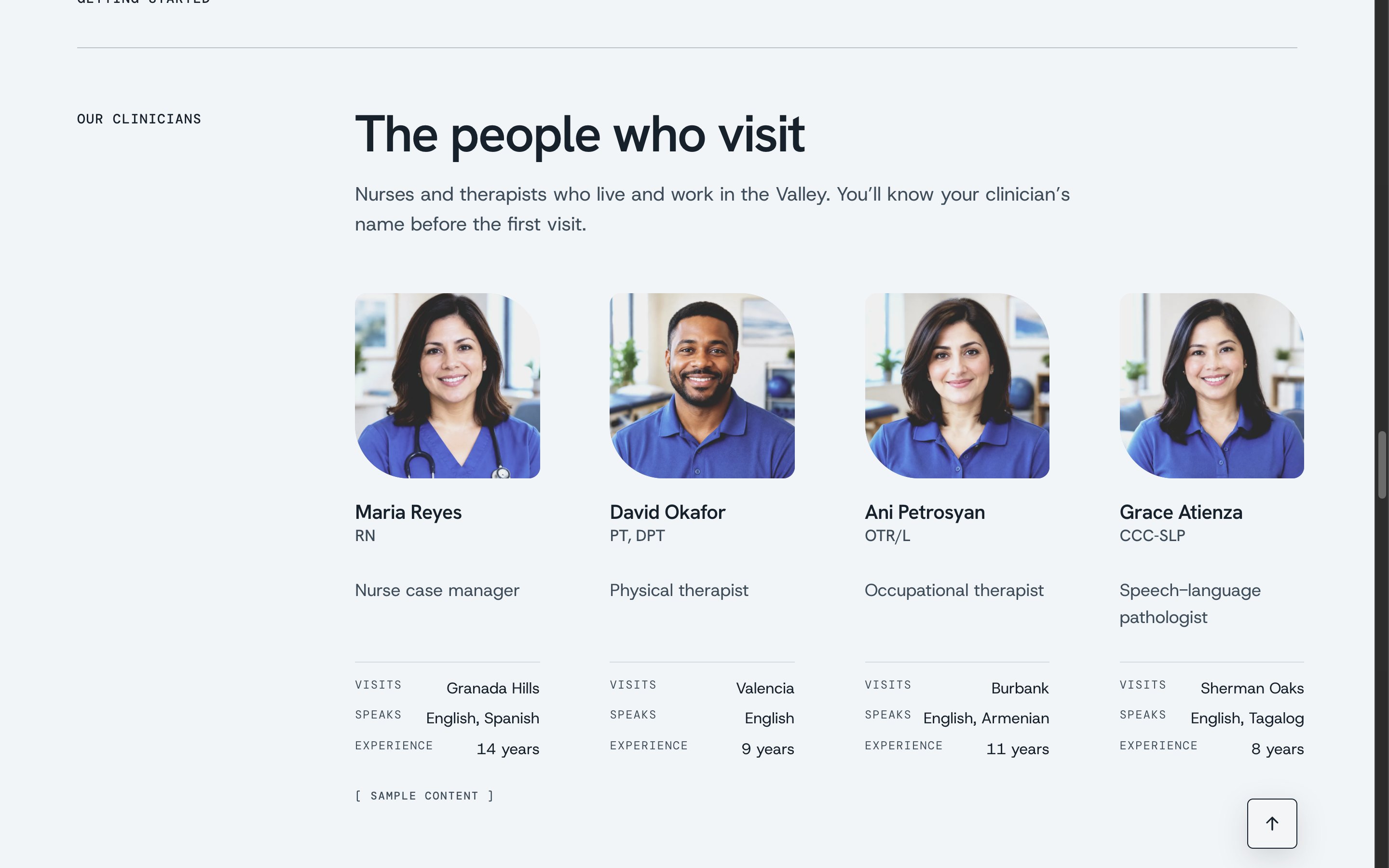
People, not stock photos. The clinicians who visit are introduced by name, with where they visit and the languages they speak, so families know who's coming before the doorbell rings.
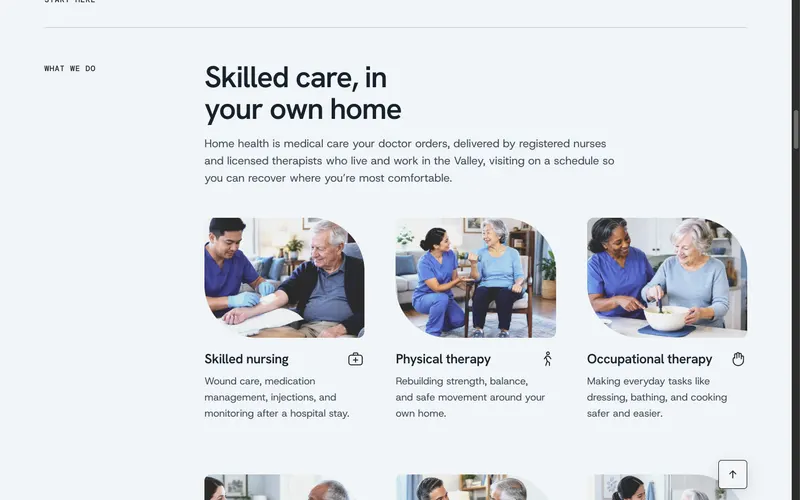
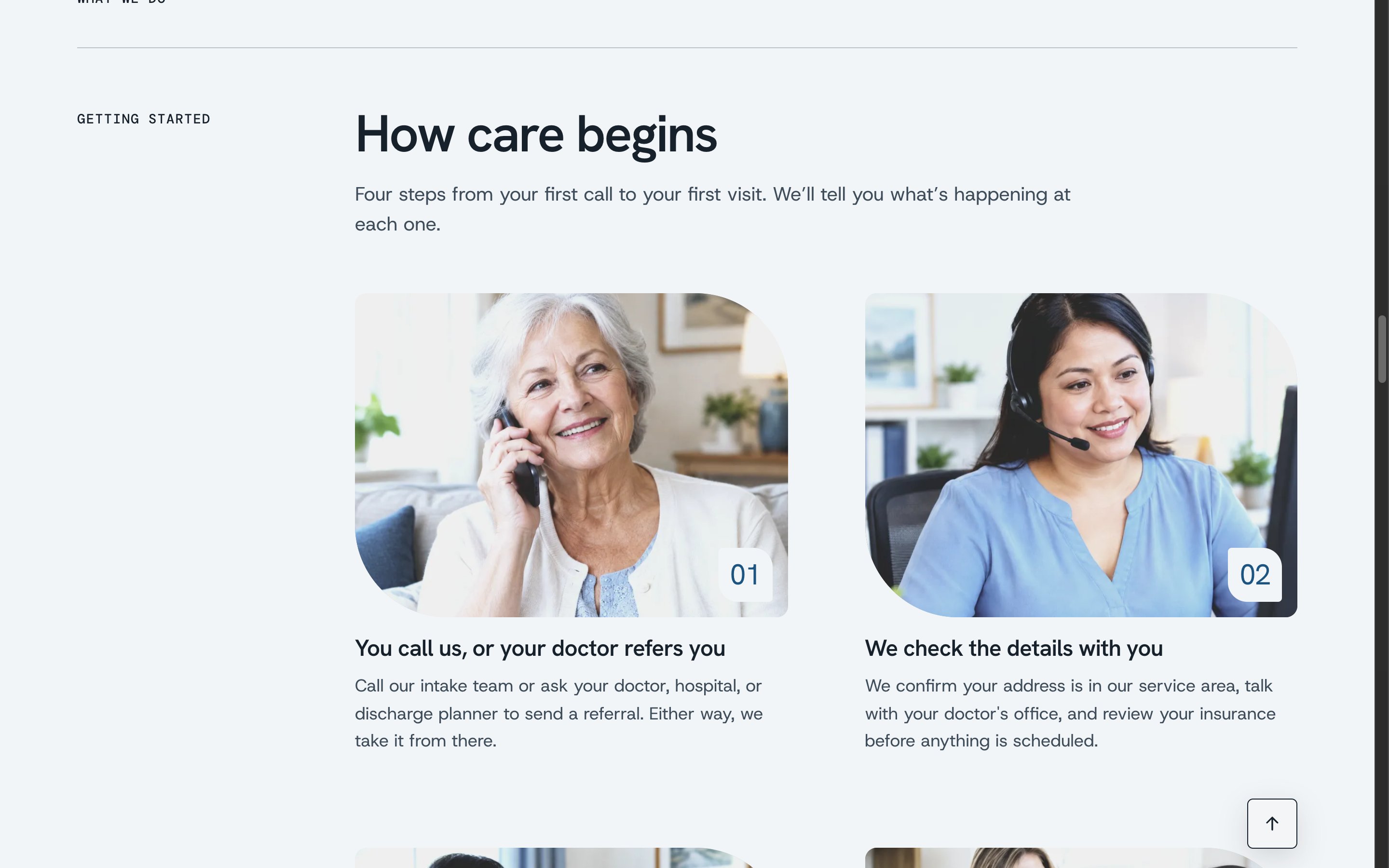
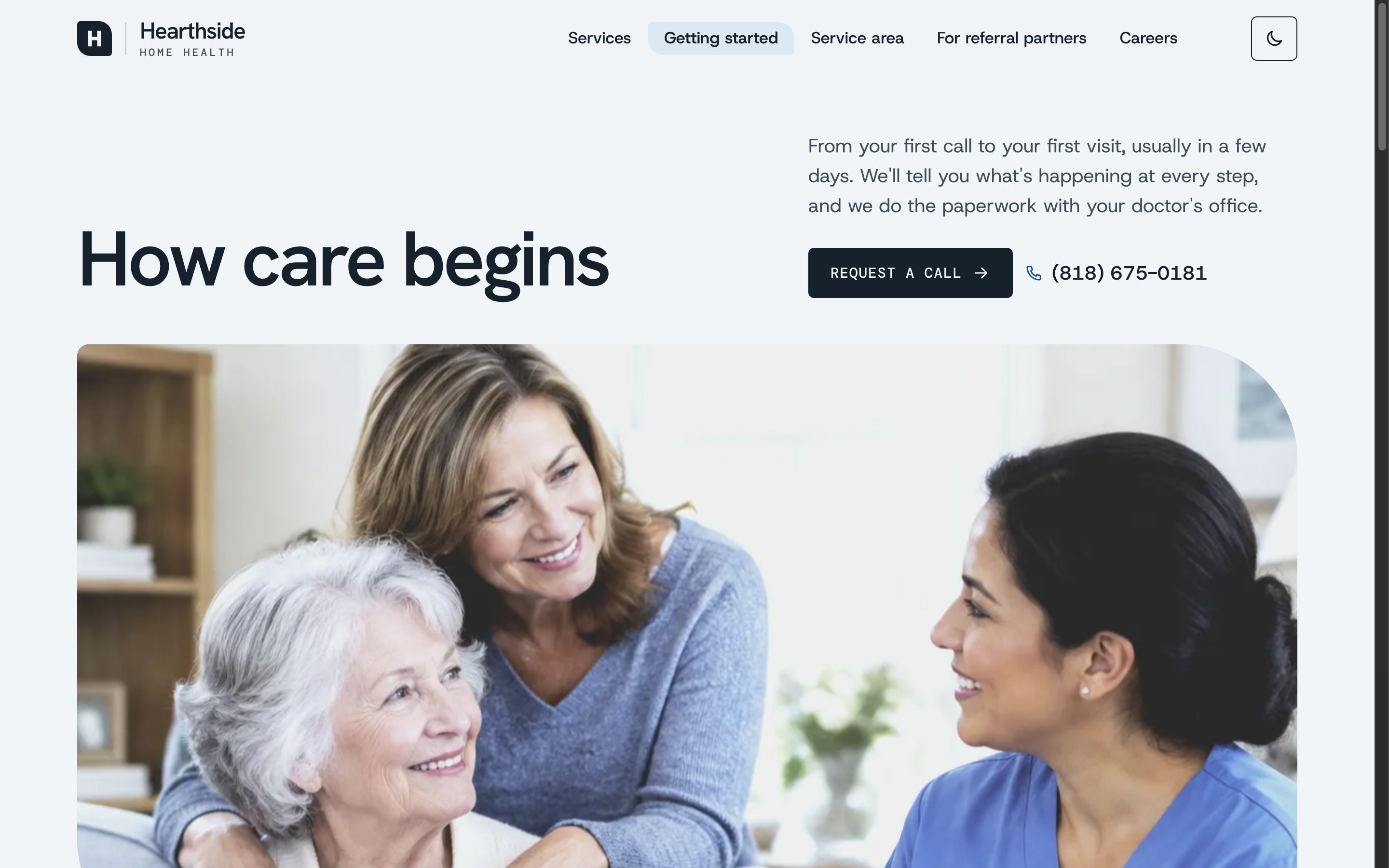
Answers that guide, never decide. The services and getting-started pages explain what home health covers in plain language, link to Medicare for the rules, and end every section with a person to call. The service area map lights up as you type a ZIP code.
Watch a referral travel. A discharge planner sends a referral from the partner page. In the preview, the patient is a generated sample in read-only fields, so no real health information can ever be entered. The referral then lands on the intake board, glows, and is routed to the coordinator for its ZIP code, while the system reports the rule it used, the first-call task it created, and any missing documents.
Loading video...
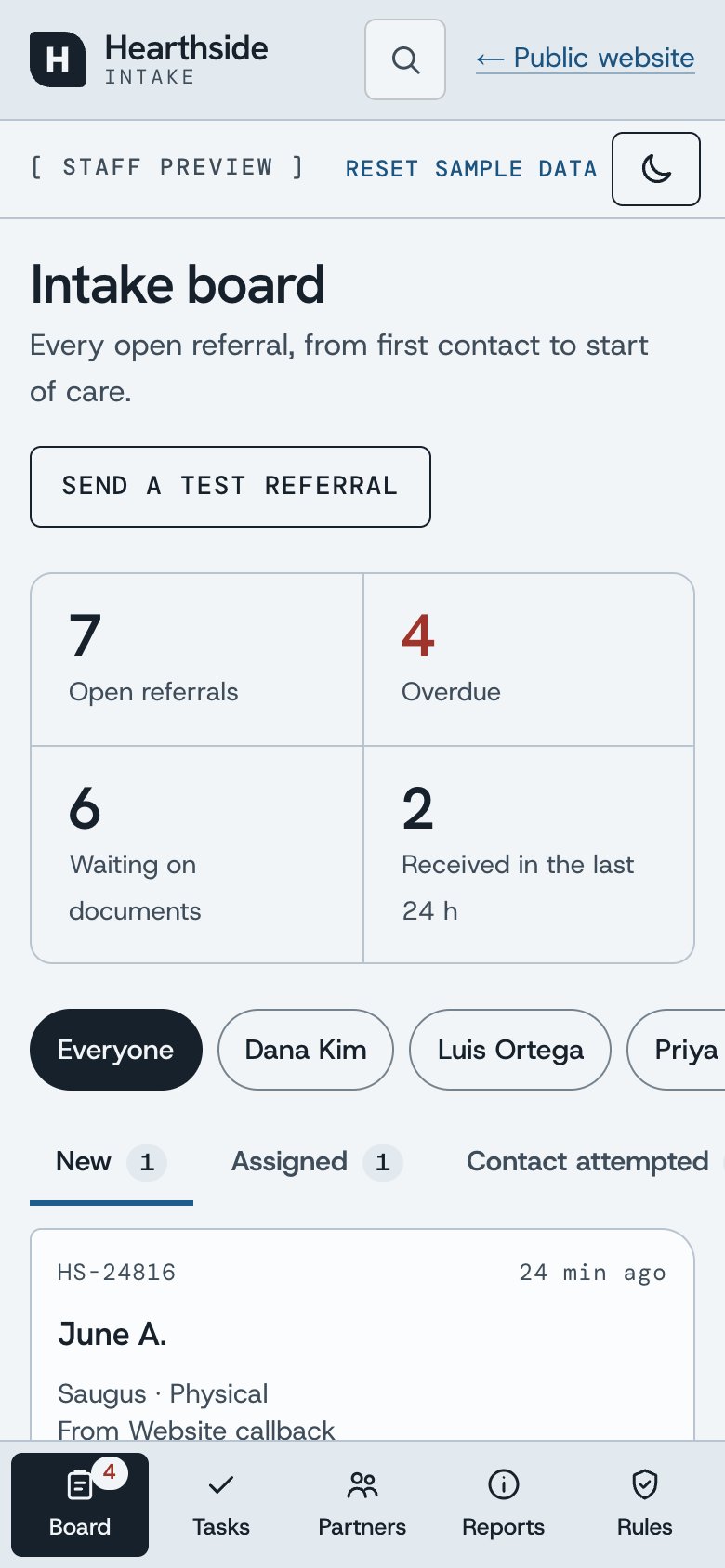
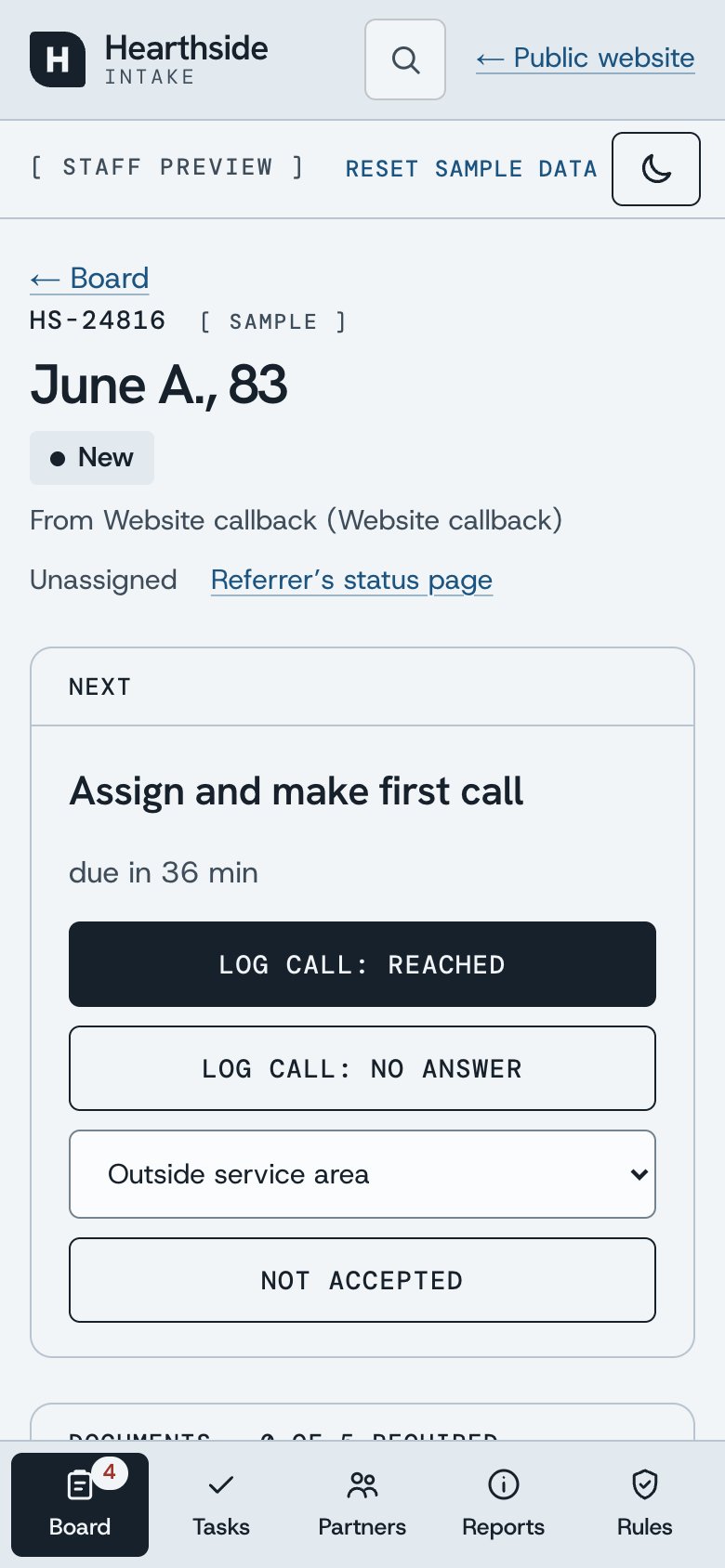
One screen for the whole pipeline. The board shows every open referral by stage, who owns it, and what's overdue. A referral's record leads with its next action, then documents, details, and an activity log.


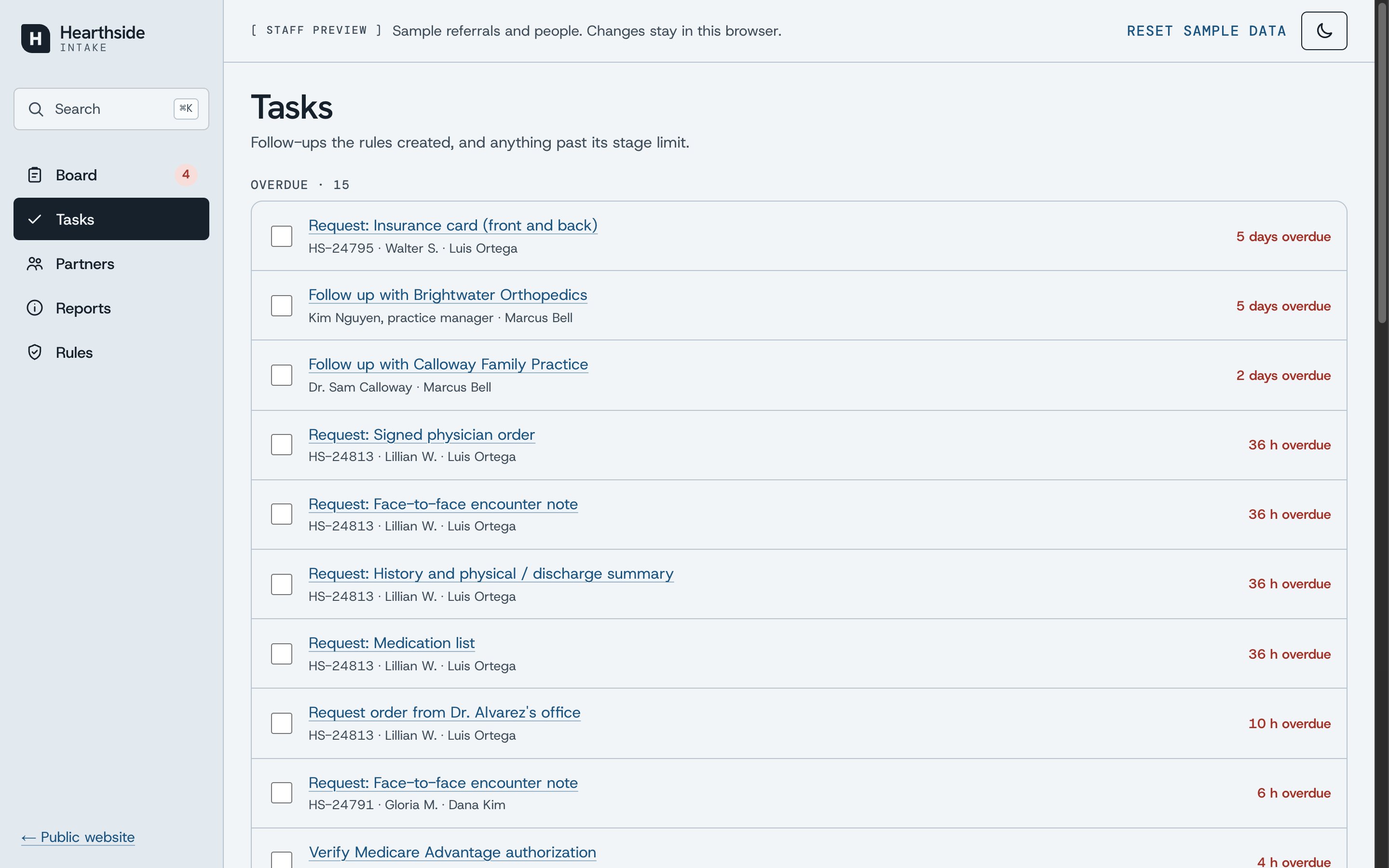
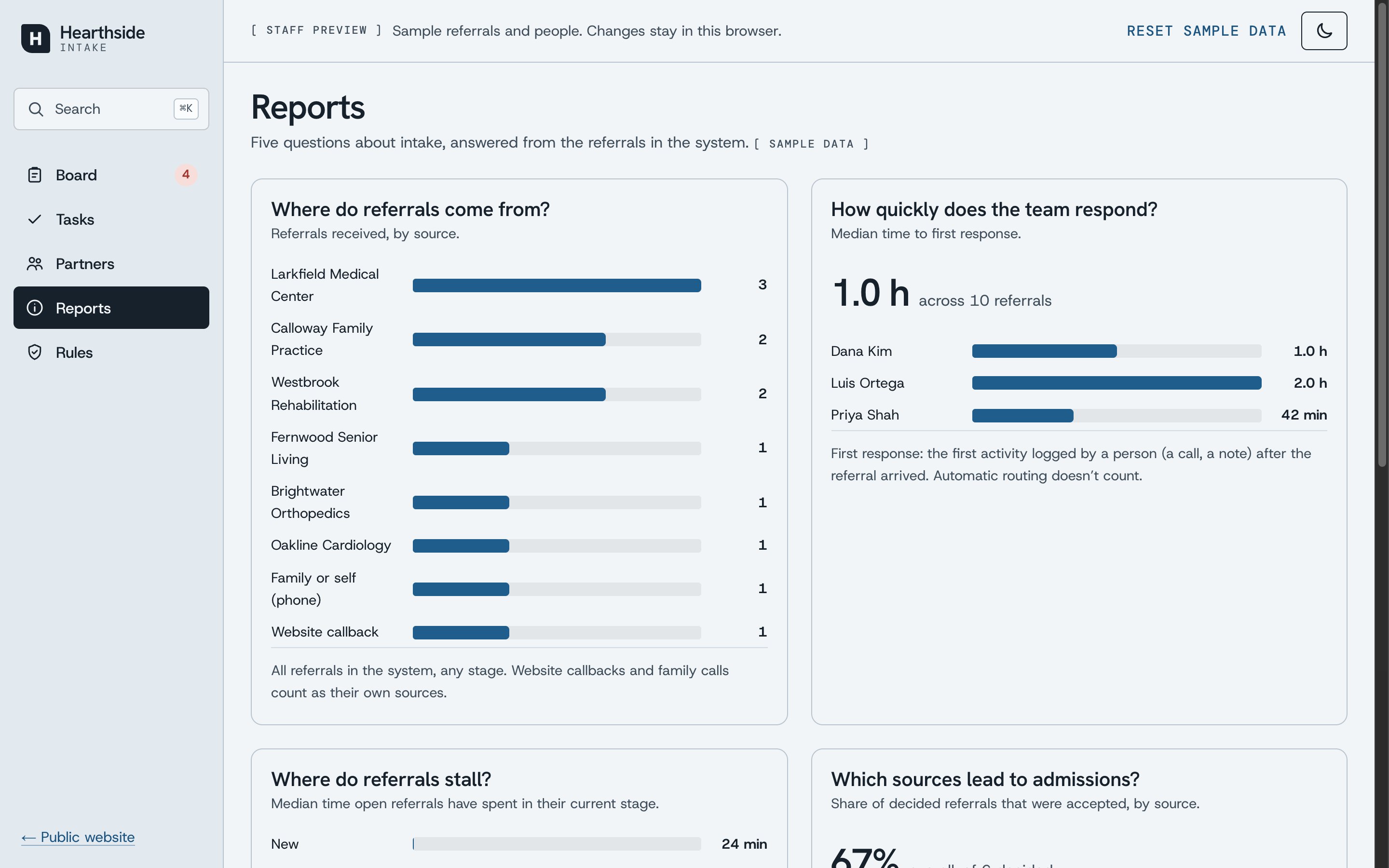
Find anything in a keystroke. ⌘K searches referrals by ID, patient, town, or coordinator, and jumps to any screen or action.
Loading video...
Design Approach
Calm, Editorial, and Warm
People land on a home health site during a hard week, so the design does less: one background, generous space, a label column beside every section, and large, plain type. One shape ties it together: the leaf, two corners swept wide and two kept tight, which frames every photo and badge and forms the logo. Every photo gets the same cool, softly faded grade, so pictures from different sources read as one set.
Phone-First
Families search on their phones, often from a hospital hallway. On a phone, each page opens with its photo and headline, the nav becomes a strip you swipe sideways, lists of like things become swipe rows, and “How can we help?” becomes a two-way switch, so both choices fit on one screen. A call bar stays within reach, and steps out of the way while you scroll down. The intake system becomes an app with a bottom tab bar and one board stage per screen.
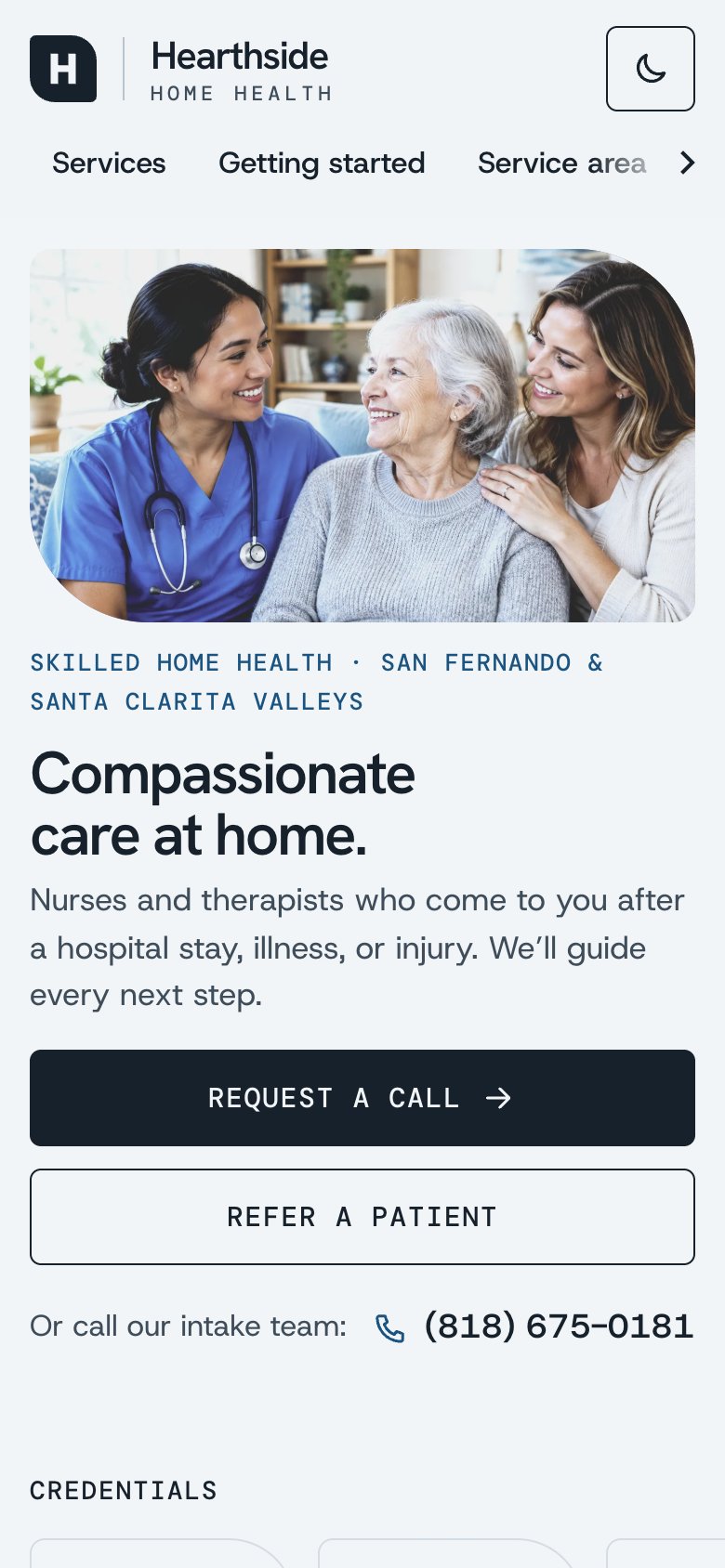
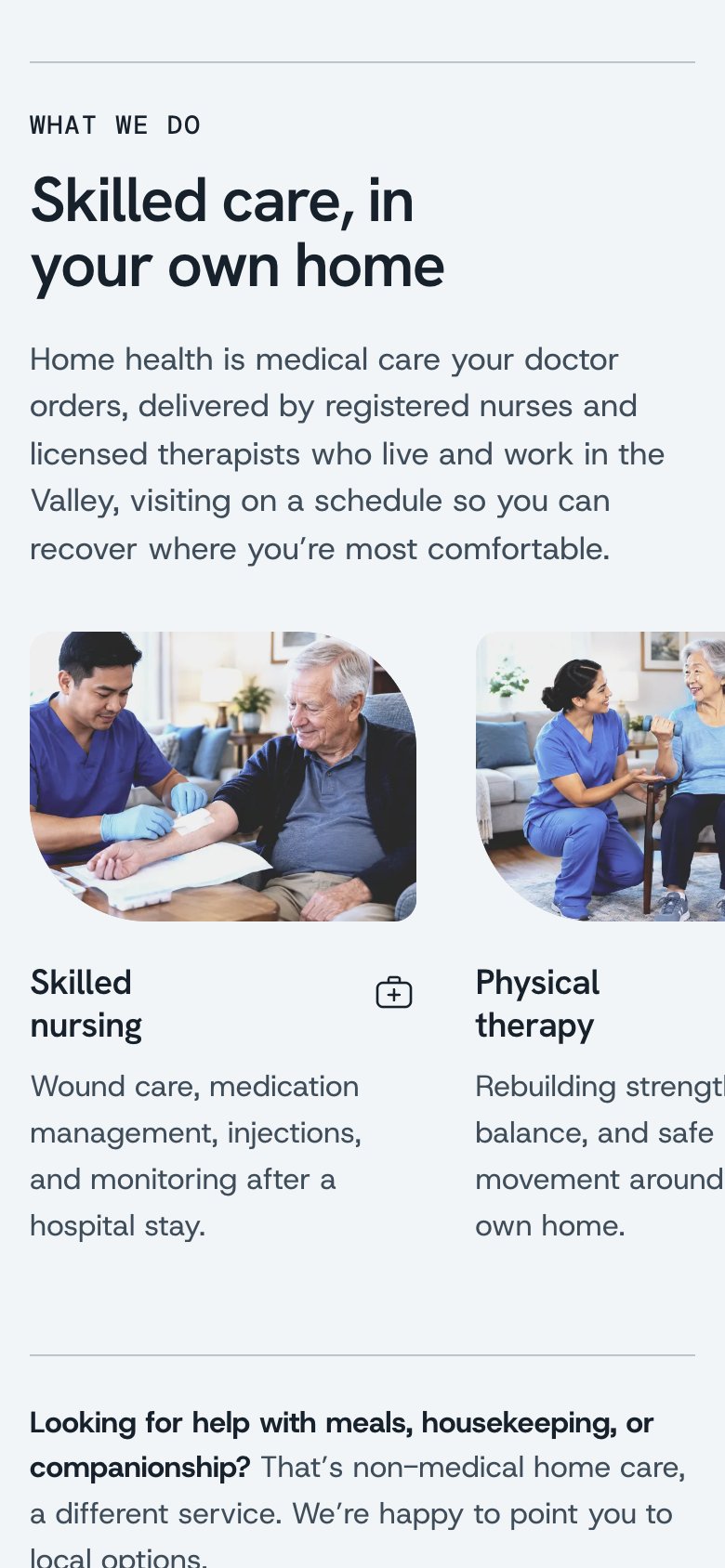
Loading video...
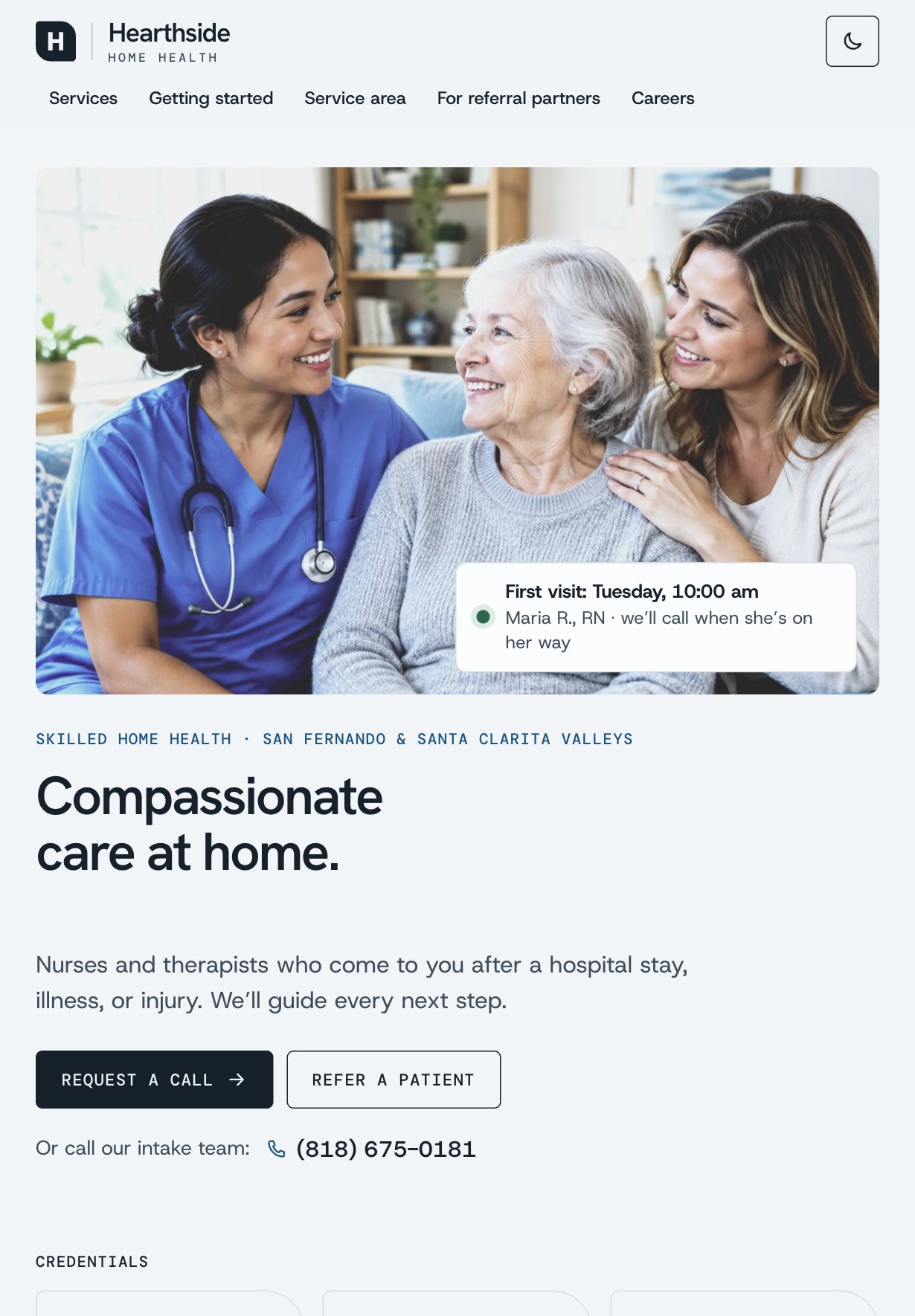
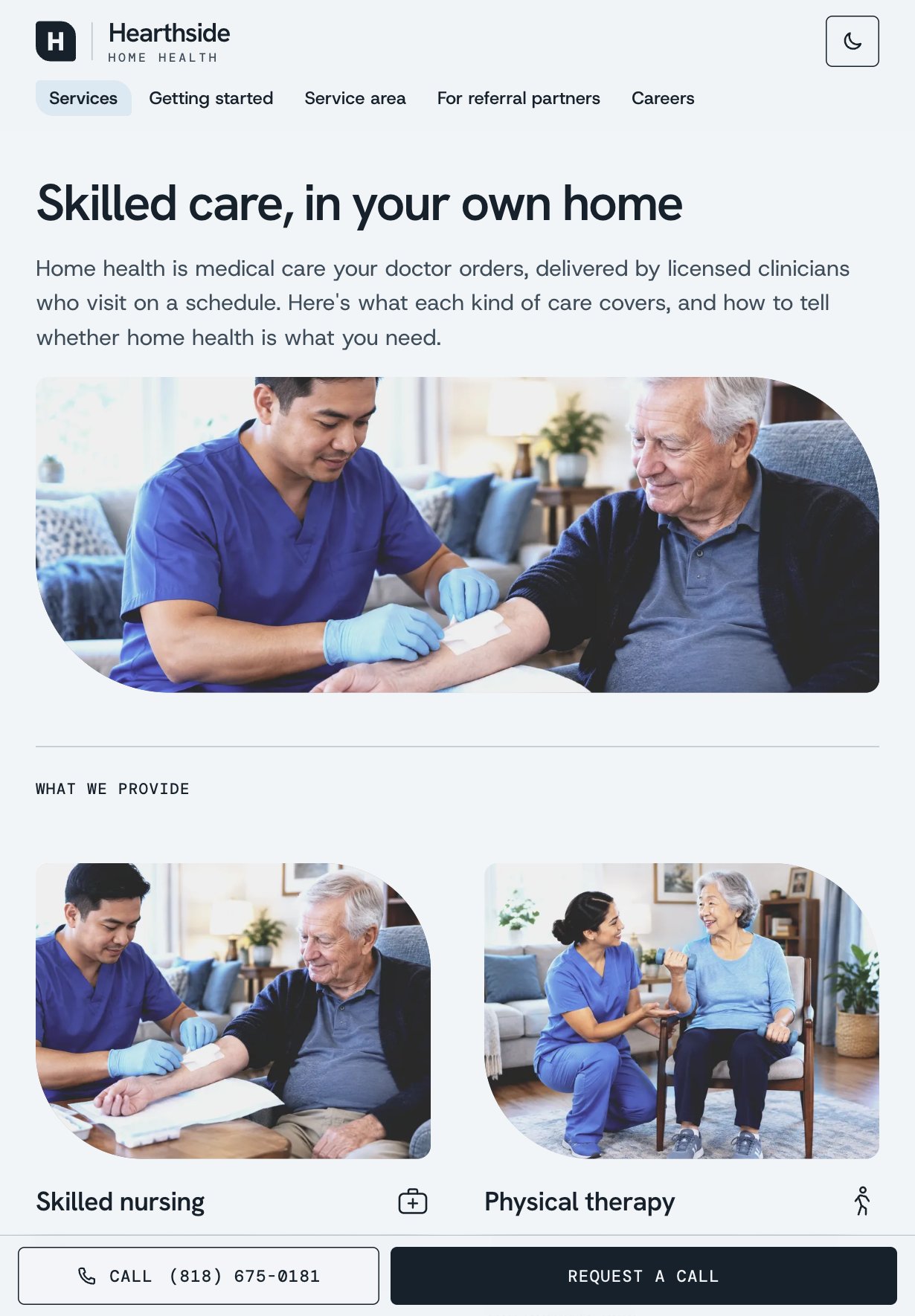
One System, Two Schemes
Every color and font comes from tokens, so an agency can take on its own look without touching a component. Two schemes prove it: Tide (cool blue, the default) and Shore (warm linen and navy), each in light and dark. The design system page renders the real components and computes every contrast ratio from the same tokens, so it can't drift from the product.
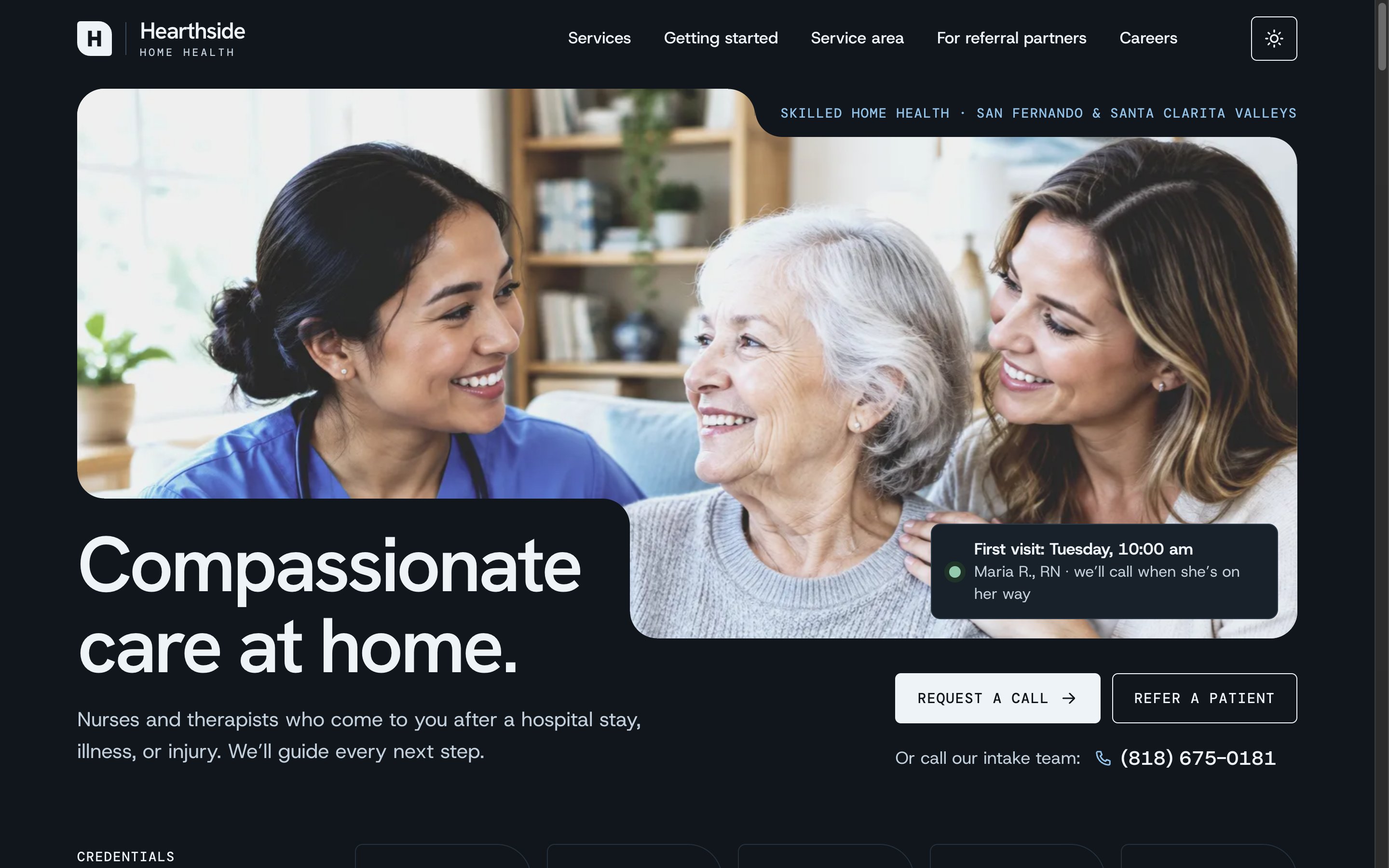
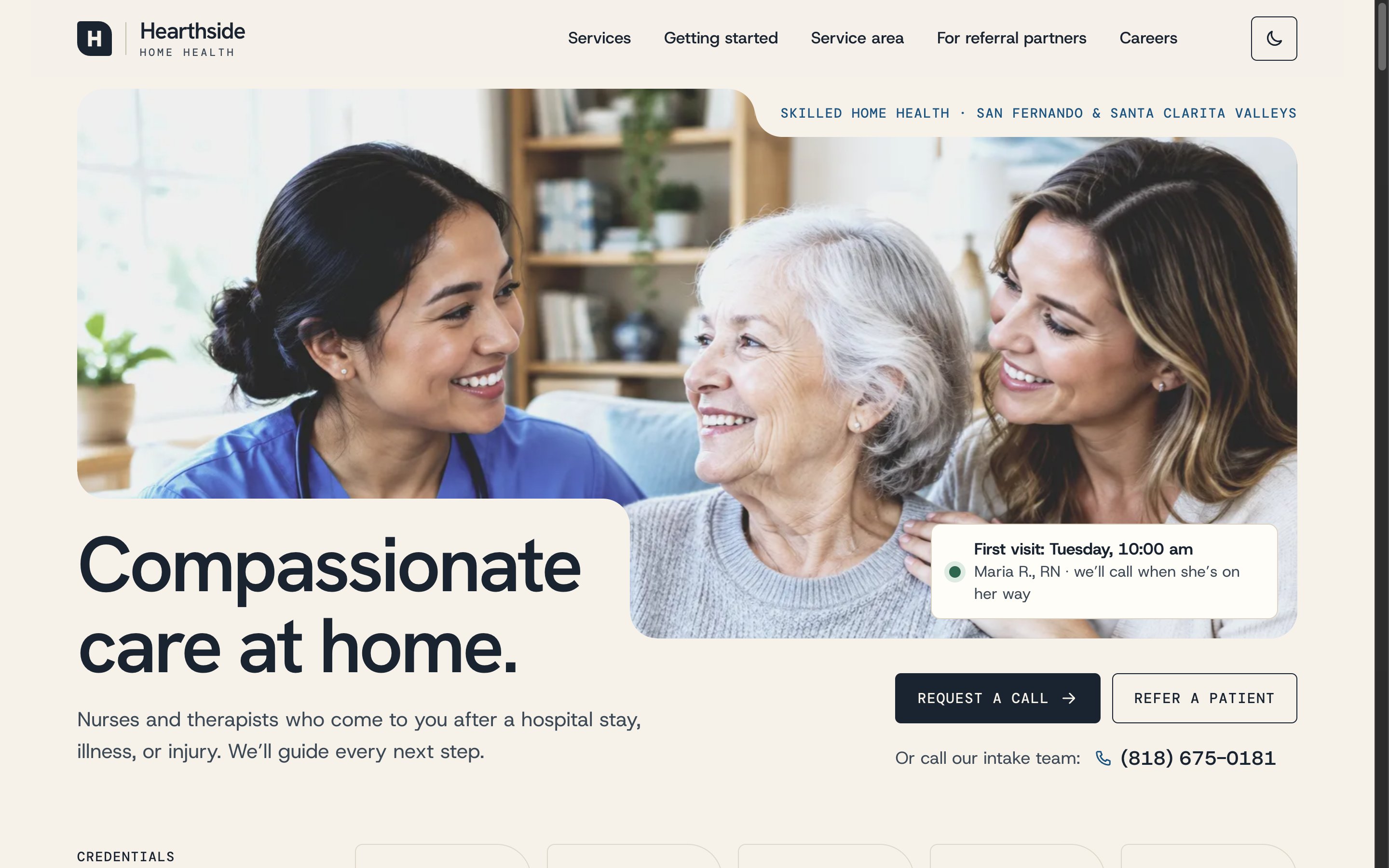

Engineering
Built with Next.js and React as a static site, with motion in CSS.
- One store, three views: the referral form, the status page, and the intake app share one store in the browser, so a referral sent on the public site really does appear on the board and in its status link.
- Rules as data: stages, time limits, ZIP routing, and required documents are plain data, so the board, tasks, and reports all follow the same rules, and changing a rule needs no code.
- View transitions: the referral card travels between columns, pages hand over in sequence, and the phone switch slides its cards, all with the browser's View Transitions API and no animation library.
- Scroll-driven motion in CSS: the hero and every photo close in on their subject as they scroll, with no JavaScript on the scroll path.
- Private by design: public forms ask only what's needed to call back, the referral form can only send a generated sample, and the status page never shows health details.
- Accessible throughout: audited with axe, AAA body text in every scheme, native dialogs with focus management, keyboard search, and reduced motion respected everywhere.
Learning & Next Steps
What I learned
- Designing the website and the intake system together made the hand-off the product: the moment a referral leaves one and lands in the other is what an owner remembers.
- Writing guidance that never decides (coverage, eligibility, which kind of care) took as much care as the layout, and it's what keeps a site like this trustworthy.
- Building phone-first changed the content, not just the layout: swipe rows and the two-way switch forced every card to say less, and the desktop got better for it.
What's next
- Connect intake to the agency's real systems: a HIPAA-compliant backend under a business associate agreement, e-fax intake, and the clinical record.
- Test the referral form and status page with discharge planners, and the home page with family caregivers.
- Measure time from referral to first call, and how often missing documents stall a referral, then tune the routing rules.
- Add the agency's own photos and team, and translate the family pages into Spanish.
See it for yourself
Send a sample referral, then watch it arrive on the intake board and get routed to a coordinator. Nothing is sent and nothing leaves your browser.
[ Let's connect ]
Let's work together
Have a project, a role, or an idea in mind? I'd love to hear about it.